Prepare your child for the jobs of the future.
 All you need is a laptop, a tablet or even a phone with internet to give your child an equal chance to prepare for the future.
Robotics, coding and problem-solving open the door to tomorrow’s best careers and scholarships. Until now, programmes like this mostly reached children in big cities. Now any child, anywhere in the Caribbean or around the world, can join live from home and build and program robots with a K12YouthCode educator.
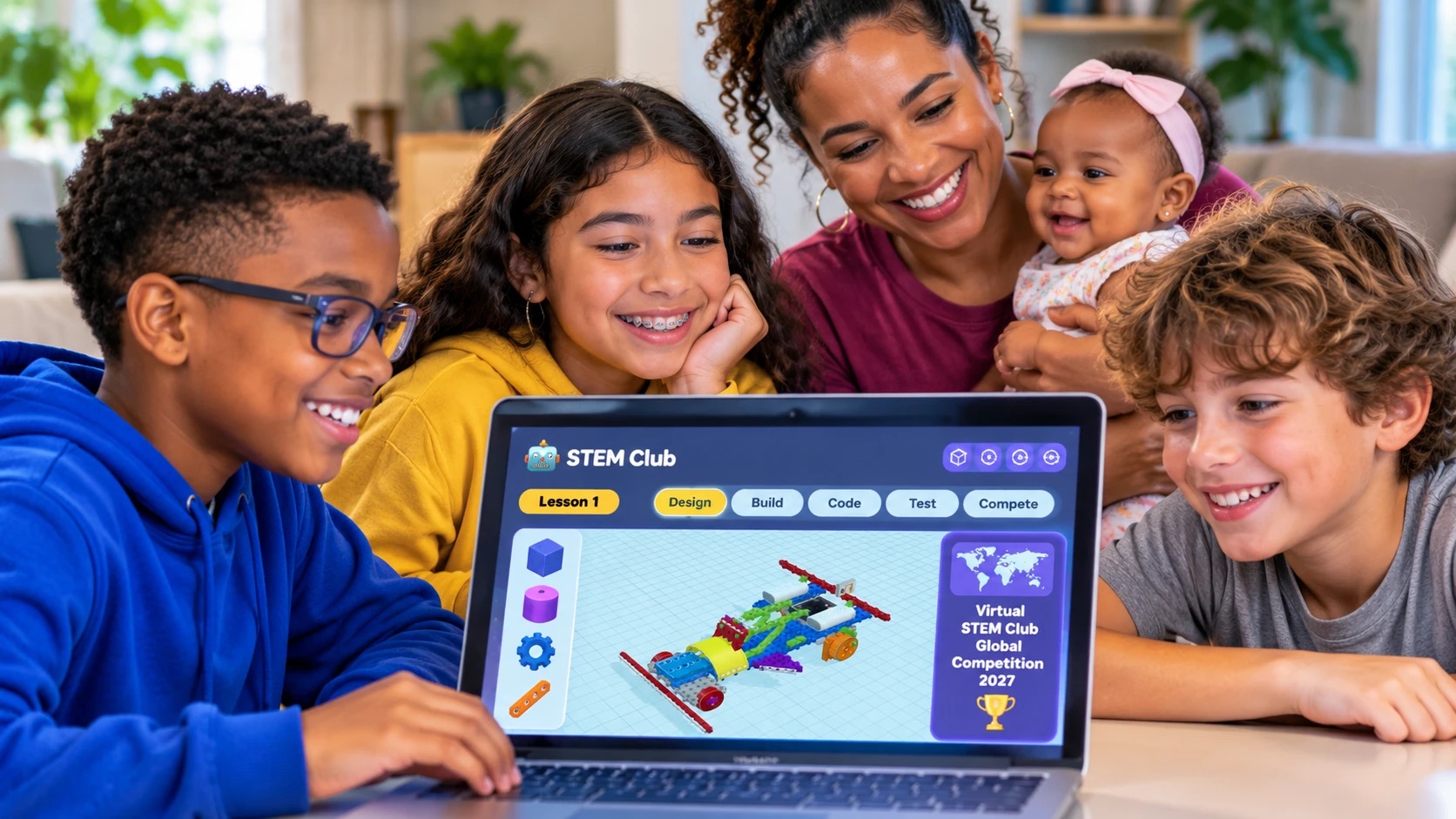
Welcome to K12YouthCode's Virtual STEM Club
The region's first-ever online club where your child can learn all about robots: how they are built, how they move, how they sense the world around them, and how to program them to think for themselves.
Each class brings a small group of young builders together with a K12YouthCode educator. Following the official MRT3 robotics curriculum, children build a new robot model one manual step at a time, take turns at the controls, and solve problems as a team, all from home.
What your child will learn
- Engineering: frames, axles, gears and wheels, and why structures stay strong.
- Electronics: motors, servos, LEDs and sensors that see, hear and touch.
- Coding: programming the MRT brain board to make robots move and react.
- Teamwork: sharing a build, passing the turn and presenting their robot.

Hands-on, step by step
Every build follows the official instruction manual, so children always know the next part to pick and where it goes.
Live with a real educator
Educators run each session, spotlight the next step for everyone, and watch every group's progress in real time.
Safe, private classes
Only their educator can add students to a class, and every team has its own shared workspace.
From sign-up to first robot in three steps
Getting started takes a few minutes. All you need is a computer or tablet with a modern web browser.
Register and join your class
Create your child's student account. Their educator then adds them to their class, with no codes to enter.
See today's lesson
After logging in, students land on their own dashboard showing today's robot build, their group and their teammates.
Start building together
One click opens the build lab. Your child follows the manual, places parts in 3D, and builds alongside their group.
43 robots across four levels
Children grow from first frames and wheels to sensor-driven, programmable robots, with a new challenge every class. Each robot in the course book comes to life in our 3D Build Lab, where children build it step by step on screen. Every robot teaches a real engineering idea, the same ones engineers use to design cars, cranes and machines.
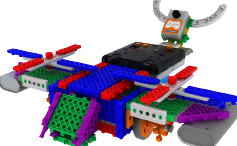
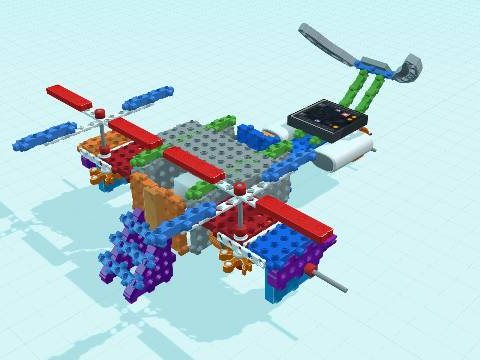
Avatar Helicopter
Frames, gears and a spinning rotor.
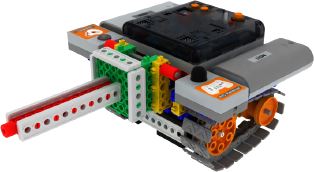
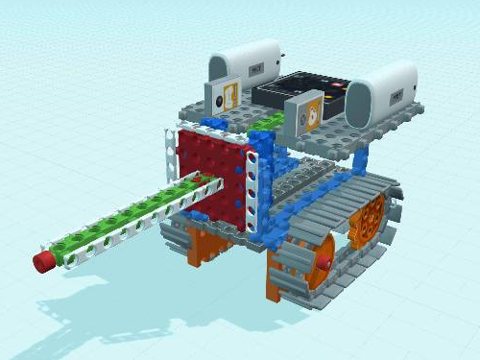
Mini Tank
Tracks, gears and first motor control.
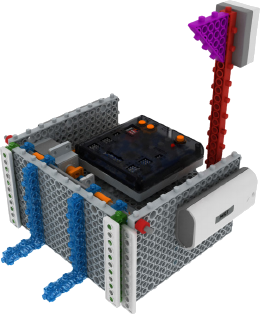
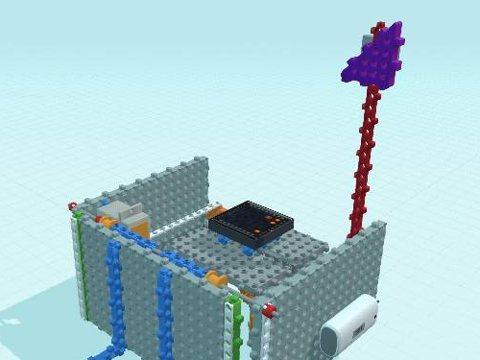
Soccer Robot
Remote driving and a kicking arm.
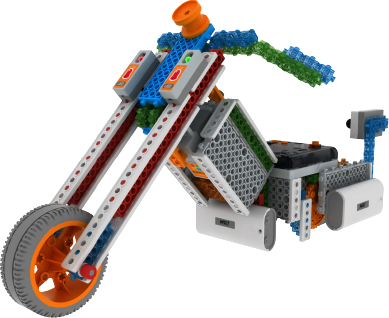
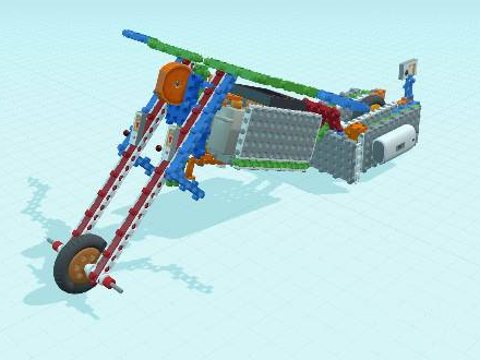
Motorbike
Servo steering and a programmable drive.
The engineering behind all 43 robots
Level 1 · Foundation
First frames, wheels and motors.
- Piglet
- Strong structures: joining parts into a stable frame.
- Multiple Gadget's Arm
- Linkages: crossed bars that fold and stretch out, like a grabber arm.
- F-15 Fighter
- Aircraft design: body, wings and tail, built evenly so it balances.
- Three Wheels Bicycle
- Stored energy: a rubber band powers the wheels.
- Apache Helicopter
- How a helicopter works: the main rotor and the tail rotor.
- I am a Gymnast
- Axles and gears pass motor power along; the main board sets how it moves.
- Mini Racing Car
- Electric drive: a DC motor turns the wheels, steered by remote control.
- Avatar Helicopter
- Gear trains carry the motor’s turning to the spinning rotors.
- Knight and Donkey
- Motor and axle: turning power makes the rider move.
- X-Soccer
- Levers: a motor-driven arm that kicks the ball.
- Drummer Baby Bear
- Repeating motion: a motor moves the drumsticks again and again.
- Air Sing Sing Plane
- Linkages: connected bars turn one movement into another.
- Bumper Car
- Centre of gravity: where the weight sits keeps the car stable.
- Boxing Robot
- Linkages turn the motor’s spinning into a punch.
- Battle Robot
- Gears change the direction the power travels.
Level 2 · Beginner
Motors, gears and sensors.
- Mini Tank
- How motors work; tracks and sprockets for rough ground.
- Duckling
- Reduction gears: trading speed for strength.
- Power Spin
- Gearing for speed: making a part spin fast.
- Sumo-Bot
- Pushing force and grip: a low, heavy robot is hard to push.
- Skier Man
- Cranks and linkages: legs that slide like a skier.
- Huna-E
- Tracks and moving parts driven by gears.
- Line Tracer Train
- Infrared sensors: the train sees a line and follows it on its own.
- Target Shooting Game With Gun
- Stored energy and aim: launching a shot at a target.
- Car and Car Key
- Wireless control: sending a signal that tells the car what to do.
Level 3 · Intermediate
Mechanisms that react and do jobs.
- Soccer Robot
- Levers and remote driving: steer, then kick.
- Hemiptera
- Walking linkages: turning motion becomes stepping legs.
- Touch Battle Bot
- Touch sensors: the robot reacts when it is hit.
- The Little Car "Bumboo"
- Steering by speed: turning by driving the wheels differently.
- Fencing Robot
- Crank and slider: an arm that thrusts forward and back.
- Catapult
- Levers and stored energy: angle and force decide how far it flies.
- Forceps Robot
- Grippers: gears open and close the jaws to pick things up.
- Bug Battle Bot
- Leg linkages and pushing power.
- Cleaner Robot
- Sensing and automatic turning, like a robot vacuum.
- Dump Truck
- Tipping and lifting: moving a load safely without it falling over.
Level 4 · Advanced
Programmable machines.
- Motorbike
- Servo steering and a programmable drive.
- Square Robot
- Geometry in code: programming turns and distances to drive a square.
- Golf Robot
- Swinging arm: a lever and timing to hit the ball.
- Bulldozer
- Tracks and torque: strong, slow pushing power.
- Mountain Motor Bike
- Big wheels and gearing for climbing rough ground.
- Racing Car F1
- Speed design: low body, wings and fast gearing.
- Fork Lift
- Lifting mechanisms: turning motion becomes a straight up-and-down lift.
- Bowling Robot
- Momentum: a swinging arm rolls the ball down the lane.
- Tank
- Two motions at once: tracks drive while the turret turns.
A club your child will look forward to
Real engineering, made fun and social. Children build confidence, problem-solving and creativity while making friends who love building as much as they do.
- Small groups led by K12YouthCode educators
- Progress your child can see after every class
- No travel needed: join from anywhere in the region
Run your class from one dashboard
Schedule terms, organise students into groups, choose today's lesson, and monitor every group's build as it happens.
- Add students to classes and teams
- Set today's lesson for each class
- Live progress for every team's project
Ready to build your first robot?
Create a student account, or log in to see today's lesson.